

Compatible RTSP and ONVIF cameras
Connect compatible camera streams and profiles in one Windows workspace. Review the official camera setup guidance to check your own camera's compatibility.
Local AI camera monitoring for Windows. Connect compatible cameras and decide which events deserve your attention.
Early access · Public installer not yet available
Features
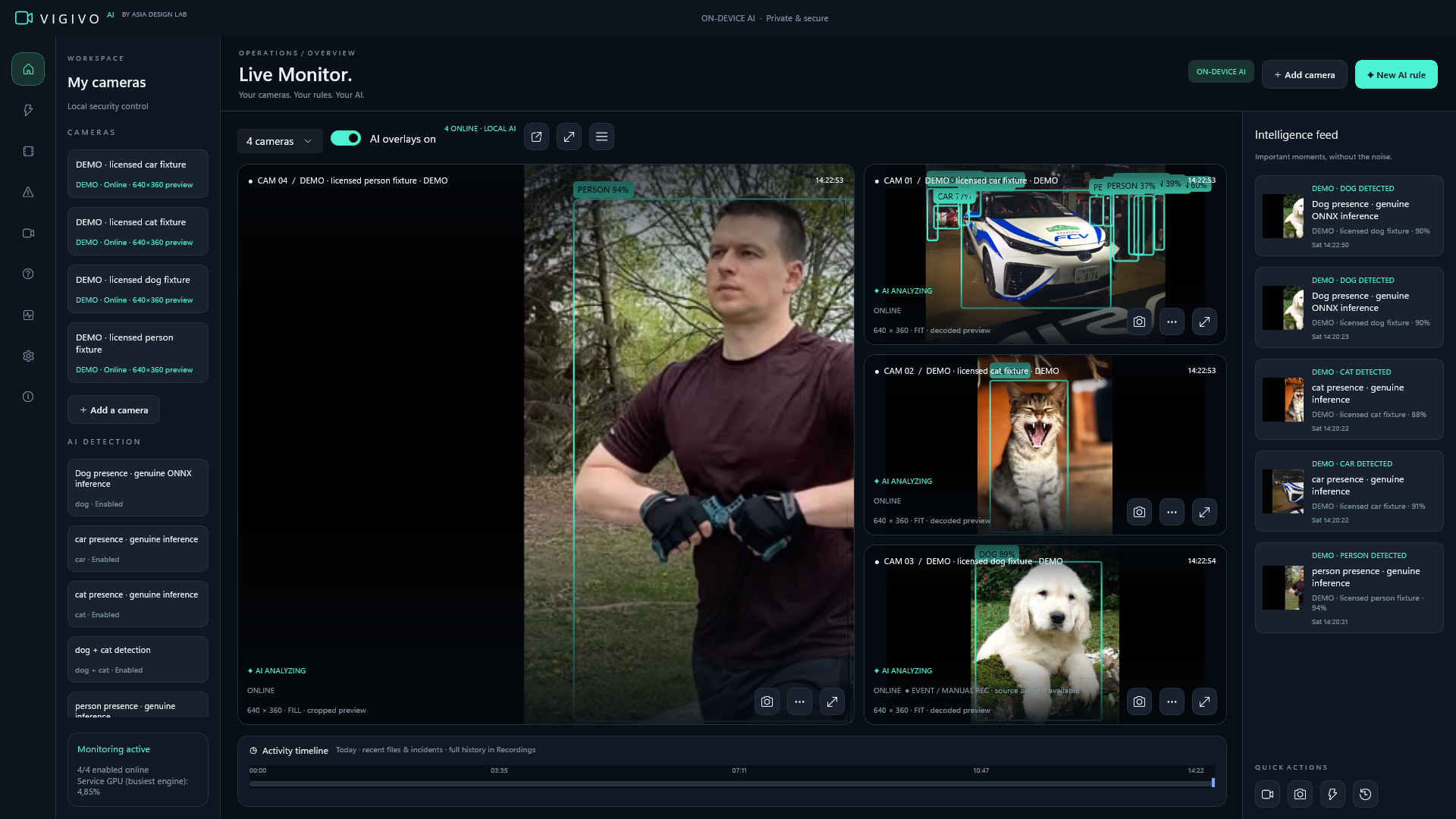
VIGIVO AI turns your Windows PC into a camera monitoring workspace. Connect compatible RTSP or ONVIF cameras, use local object detection, and keep recordings on your own storage.
Connect compatible camera streams and profiles in one Windows workspace. Review the official camera setup guidance to check your own camera's compatibility.
Object detection runs locally using the CPU or supported DirectML acceleration. Your Windows hardware determines the capacity available for your camera setup.
Define what matters
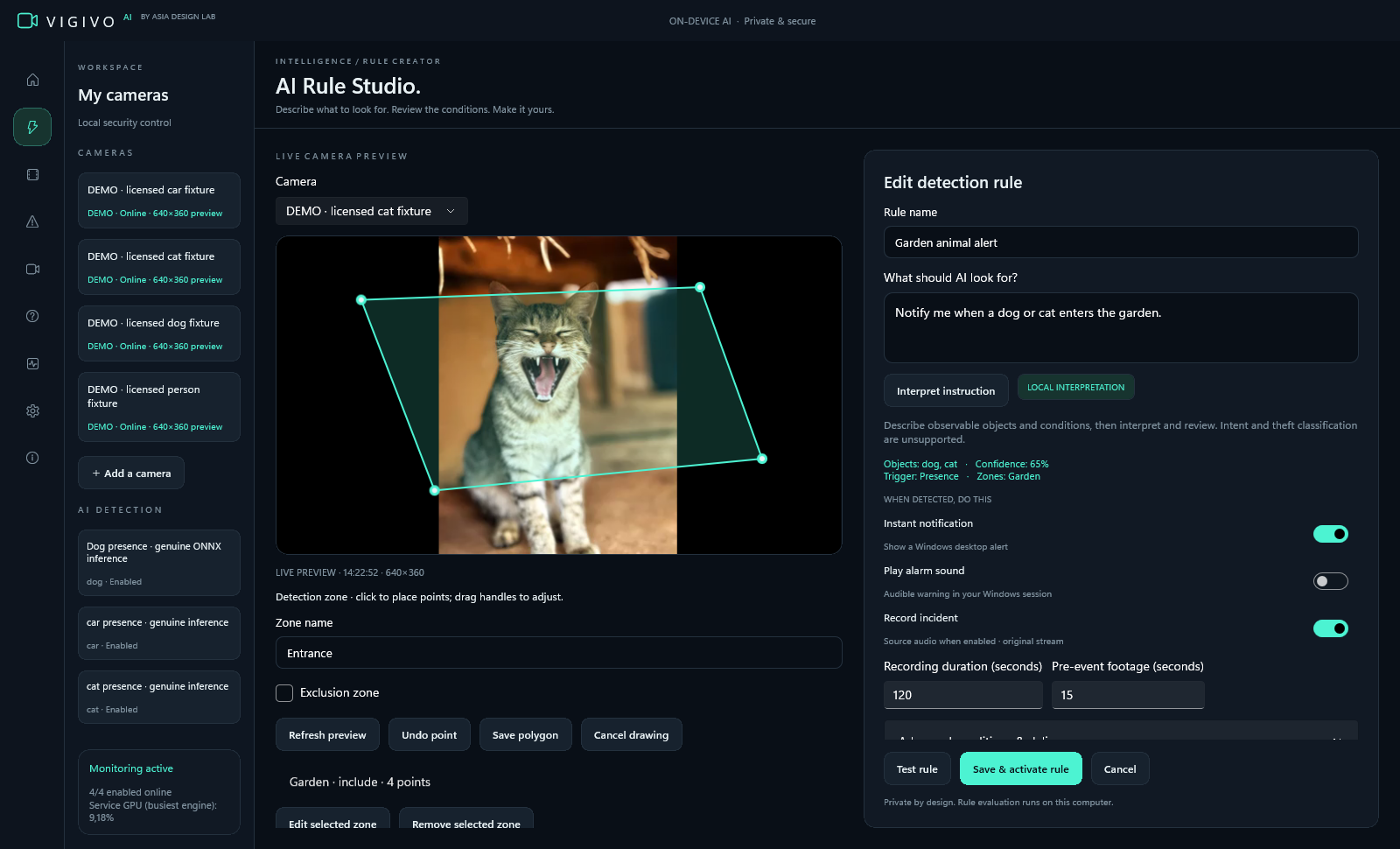
Build monitoring rules around your space. Review detection classes and confidence settings, draw a zone, and choose actions such as notifications or recording in the Windows Rule Studio.
Draw detection zones around the parts of a camera view that matter to you. Set monitoring schedules around your routine.
Choose detection classes, confidence settings and actions in Rule Studio. Review how a rule is configured before relying on it for your space.
Recordings on your storage
Use continuous or event recording and playback on your own storage. Check the official website for camera requirements, subscription terms, and download availability.
Use continuous or event recording and keep footage on your own storage. Plan disk space and retention around the cameras and recording settings you choose.
Review monitoring events in the intelligence feed and revisit recorded moments with playback. Detection results help you navigate footage; they are not a guarantee of accuracy.
Pricing
Current prices, availability and licence terms are provided on the official product website.
Early access · Public installer not yet available
Published annual licence · Includes applicable taxes
The published licence is US$299/year for one active Windows installation. A public installer is not currently listed. Check official availability before planning an installation or purchase.
An eligible 15-day trial starts only after completing checkout with a payment method, when checkout is available. Cancel before the trial ends to avoid the annual charge.
Check Windows download availabilityView official plan detailsThe official public release catalog currently lists no installer. Use the availability button to check the official download page for the latest release status.
When an eligible trial and checkout are available, the trial starts after checkout with a payment method. Cancel before the trial ends to avoid the annual charge. Review the official licence and trial terms first.
Your next step
Early access · Public installer not yet available
Check the latest Windows requirements, release notes and licence terms on the official product website before installing.